If I want to do everything myself, how does that work?
A CMS built around my needs
- Role
- Idea, Concept, Design
- Code
- Claude Code
- Platform
- macOS
- Type
- CMS
- Status
- active
Why roll my own CMS?
At some point it became clear to me that I was spending more time adapting existing systems to my way of working than actually developing content. Large CMS solutions come with countless features that were never relevant to my projects — while the very tools I needed every day were missing.
That's why mcs-admin came about. Not as a competitor to established systems, but as a consistent answer to my own requirements. Every feature grows out of a real use case, not because it looks good on a feature list. Anything that adds no value is deliberately left out.
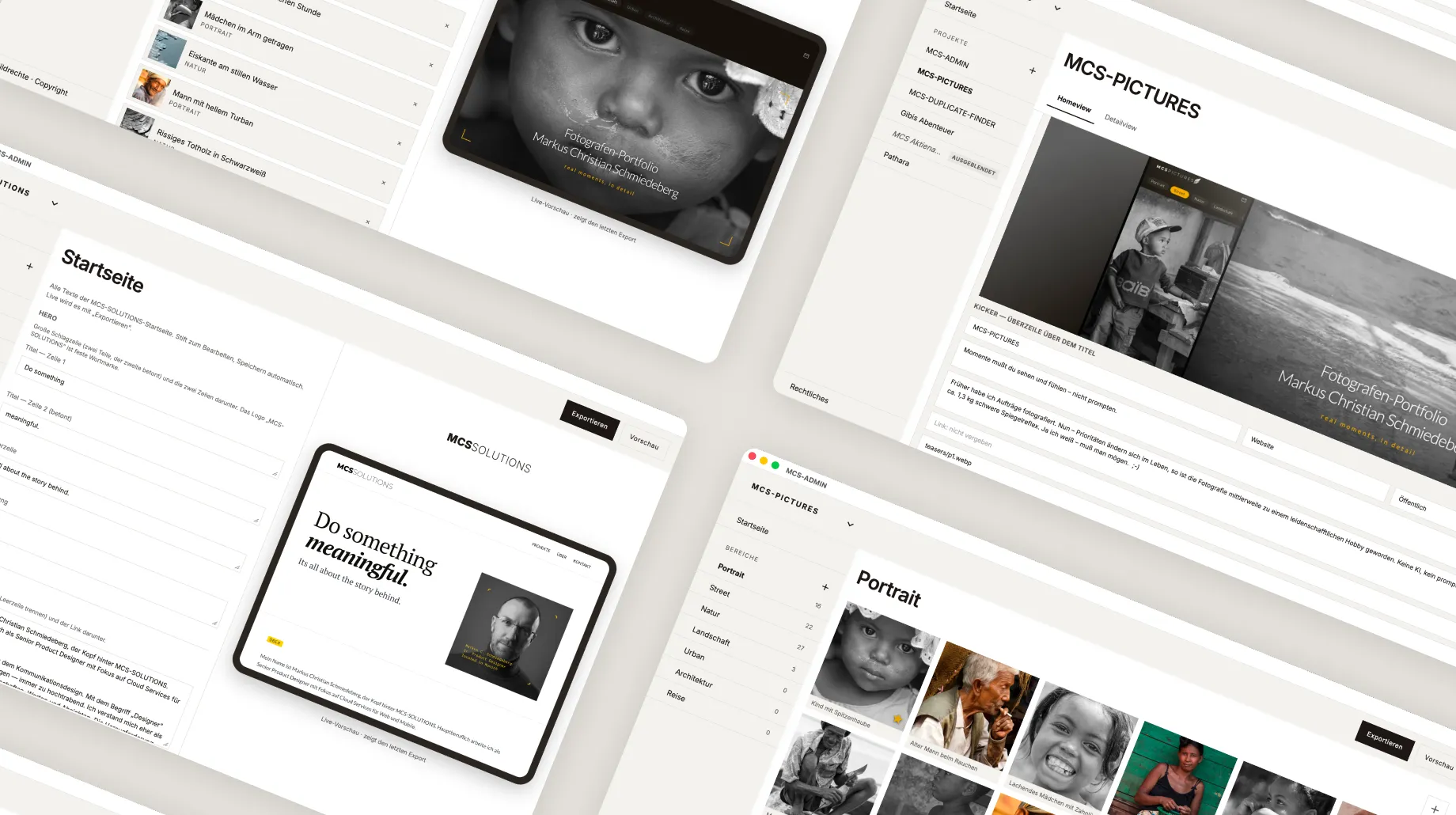
Today I administer both mcssolutions and mcs-pictures entirely on my own through it. Content, projects, media and future extensions all run through a single shared interface. As a result, three independently developed projects are now connected technically and administratively — without losing their individuality.
What makes it special isn't the number of features, but the focus. mcs-admin grows exclusively with my requirements. New features appear precisely when they offer genuine benefit. That keeps the system clear, fast and flexible — no ballast, no unnecessary complexity.
For me, the CMS is therefore less a finished product than a tool that keeps evolving alongside my projects. Every improvement makes the daily workflow a little more efficient and lays the groundwork for future ideas.
Questions First, System Second
Before a single feature existed, there was a collection of questions. Not "what can a CMS like this do?" but "what do I actually need?" What started as the wish to tweak an existing system a little quickly turned into a whole catalogue of questions:
Which content do I really manage day after day — and which only in theory?
How do I bring several independent projects under one interface without losing their individuality?
How much technology do I want to see — and how much should stay in the background?
What does editing look like when text and image matter equally?
What happens to a change — live immediately, or only after deliberate approval?
From Need to Feature
I didn't build it in one go, but question by question. Each open question turned into a small decision — and each decision into a feature that had to prove itself in everyday use. Whatever didn't hold up was thrown out again.
I started with the interface, not the database. The layouts were created entirely in Figma: first see how managing content should feel, then build the technology underneath. That kept usability in the foreground and let the structure follow it — not the other way around. A page management screen became a clear section logic, a simple image list became drag-and-drop sorting, and "somehow going live" became a deliberate export with preview.
The biggest challenge was the balance: just enough system to keep several projects cleanly separated, but not so much that every change needs a manual again. Again and again the question came up whether a new feature really takes work off my hands — or just lengthens the feature list. When in doubt, it stayed out.
The real progress lay less in the number of features than in the consistency. Instead of building a finished product, what emerged is a tool that grows a little with every real requirement. The result: mcs-solutions and mcs-pictures now run through a single interface — technically connected, separate in character.
What the System Can Already Do
- Section logic: manage several projects separately, under one interface.
- Drag-and-drop image sorting: set the order directly, on the iPad by pressing and holding.
- Edit content inline: change headline, subheading and body text right where they are.
- Live preview: see at any time how the latest export actually looks.
- Export at the push of a button: from editing to a finished page, without detours.
- Cross-project: maintain mcs-solutions and mcs-pictures from within the same app.
What Comes Next
- More content types: beyond text and image — video or embedded modules, for instance, but only where a project genuinely needs it.
- Media management: store images centrally, find them again and use them across projects, instead of rethinking them page by page.
- Versions and approval: track changes and go live deliberately — with the safety net of being able to step back at any time.
- Connecting further projects: the interface is designed to grow along. The next project should slot in without rebuilding the system.
The Best Tool Is the One You Make
It started with the question of which CMS suited me best. The honest answer was: none off the shelf. Not because the established systems are bad — but because they're made for everyone, and therefore for no one exactly. mcs-admin is never finished, and that's the point. It grows a little with every project, every improvement, every new requirement. That's precisely where the value lies: not in the number of features, but in the fact that every single one has a reason. Sometimes the fastest way to a tool that really fits is simply to build it yourself.