Create order without losing anything.
MCS-DUPLICATE-FINDER · macOS App · Private
- Role
- Idea, Concept, Design
- Code
- Claude Code
- Platform
- macOS
- Type
- Duplicate finder for image files
- Status
- active
Why a duplicate finder in the first place?
Anyone who shoots a lot produces massive amounts of data — and tends to put off the cleanup. "I'll drop it onto a hard drive for now and sort it later." In my case, that honestly turned into quite a few hard drives, and several of them hold the same image in three versions.
The real problem was never storage alone, but the uncertainty: which file is the original, which is the copy? And when I clean up, will I accidentally delete the only good version? Precisely that fear ensures that in the end nothing gets deleted at all — and the next hard drive gets added.
MCS-DUPLICATE-FINDER grew out of the attempt to at least improve this situation. Not with a grand cleanup promise, but with a tool that reliably finds duplicates and makes the decision easy and safe for me.
What actually counts as a "duplicate"?
Before the app was allowed to delete anything, it had to be clear what it would even treat as a copy — and how it would do so without causing any damage. One question quickly turned into many:
When are two files really identical — and when just similar?
How do I recognize burst shots without wrongly discarding them as duplicates?
What happens with RAW files, formats like NEF, RW2 or HEIC?
By what rule does the app decide which version stays?
And the most important one: how do I make sure nothing ever disappears irretrievably?
Two paths, one safety net
I built along exactly these questions. For exact duplicates, what counts is not the file name but the content: every file gets a SHA-256 checksum — if two are identical, they are the same pixels, no matter what the files are called or where they live. That is the reliable, incorruptible layer.
Above it sits the harder one: similar images. Here the macOS image recognition helps to group optically related shots — the slightly different export, the same subject in two resolutions. And because photographers in particular produce whole series, the app recognizes burst shots separately so they aren't mistaken for copies.
The real design decision, however, wasn't a question of recognition but of attitude: the tool never deletes anything permanently. Candidates go into the trash, never straight into oblivion. What stays is determined by a clear rule — for example, a preferred folder — and when in doubt by me, with resolution, format and size laid out side by side.
That way the initial fear of deleting turned into a calm feeling. The finder finds — the decision stays with me, and I can undo it at any time.
What the app can already do
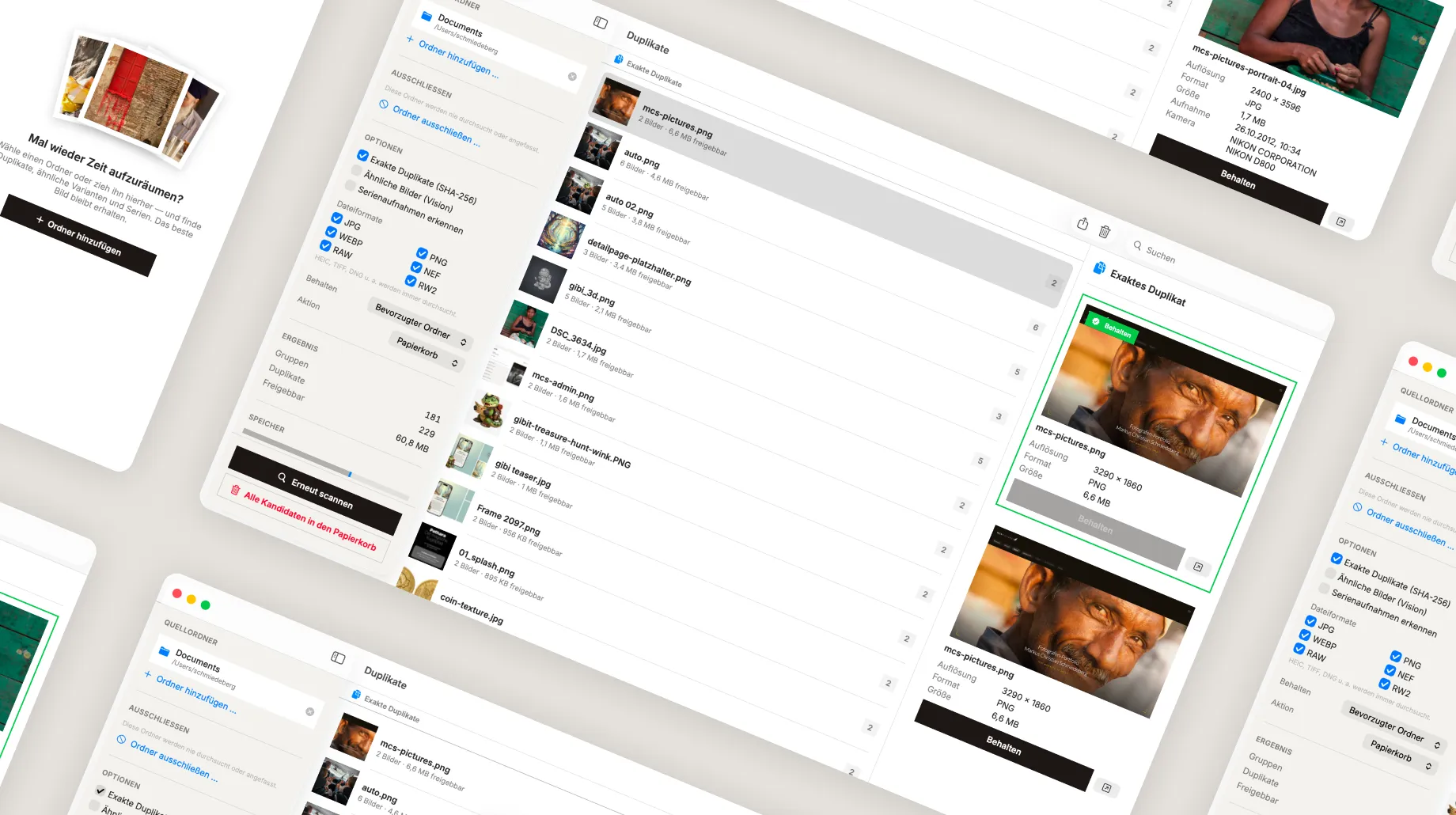
- Exact duplicates: content-based via SHA-256, independent of name and location.
- Similar images: find optically related shots via image recognition.
- Detect burst shots: keep image sequences apart instead of wrongly lumping them together.
- Broad format support: from JPG, PNG and WEBP to RAW (NEF, RW2) as well as HEIC, TIFF and DNG.
- Source and exclusion folders: precisely define what gets scanned and what is never touched.
- "Keep" rule: automatically determine the preferred version, propose the rest.
- Safe cleanup: candidates end up in the trash, never in permanent deletion.
- Results at a glance: groups, duplicates and actually reclaimable storage.
What comes next
- Automatic rules: set recurring cleanup patterns once and apply them directly on the next scan.
- External drives in view: compare multiple hard drives across each other to find copies spanning volumes — the actual core of my problem.
- Finer similarity: tune the recognition so it distinguishes even more cleanly between "almost the same" and "deliberately edited differently".
The cleanup stays — the fear goes
This will probably never fully change. Images will keep landing on hard drives, and "sort it later" will keep being my default line. That's okay.
What has changed is the fear that came with it. In the past everything piled up because deleting felt dangerous. Today I can find duplicates in a few minutes, decide calmly and reclaim space — without worrying about losing the only good image.
Sometimes a tool doesn't have to solve a problem. It's enough if it takes the fear of it away.